
Movies, series and live sports on your Android TV box
Nova TV Pro brings films, series, anime, live TV channels and live matches to your TV box, Google TV and Android phone. Install it with one code in the Downloader app.
Downloader code 2125312
Install on a TV box in four steps
Works on Android TV boxes, Google TV and Android TV sets. You only need the remote, no computer or USB stick.
Install Nova Player from the Play Store
Videos play in Nova Player, so it goes first. On your TV box, open the Play Store, search for Nova Player and install it. Signed in with the same Google account? You can also send it to the box from your phone.
Get it on Google PlayInstall Downloader
Still in the Play Store, search for Downloader by AFTVnews and install it. It's free.
Enter the Nova TV Pro code
Open Downloader, select the address box, type the code, press Go, then Install. If the box asks, allow Downloader to install unknown apps.
2125312
Open Nova TV Pro
It appears in your TV's Apps row. Long-press it and choose Add to favorites to keep it on the home screen.
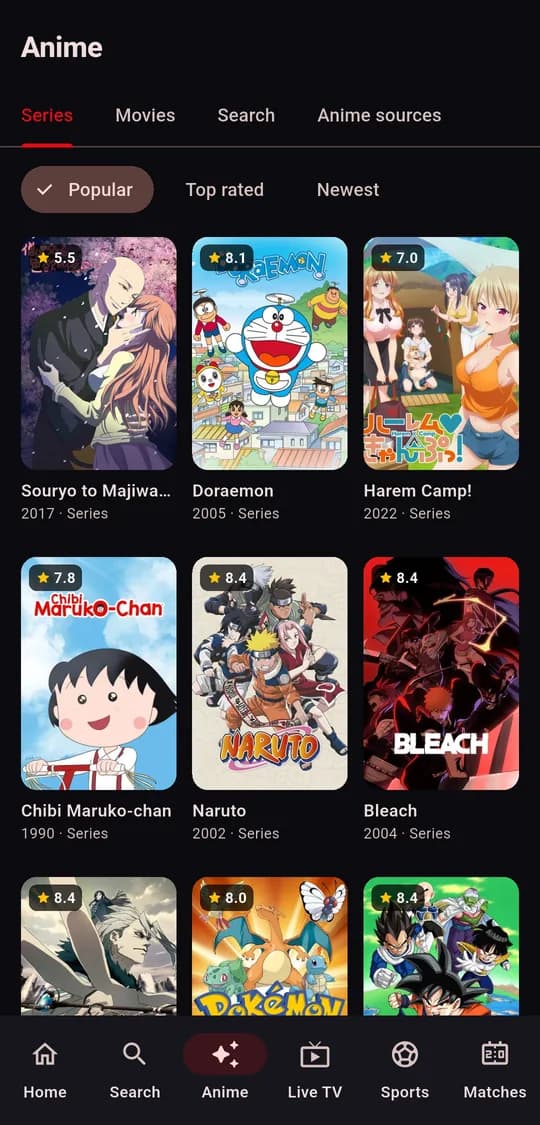
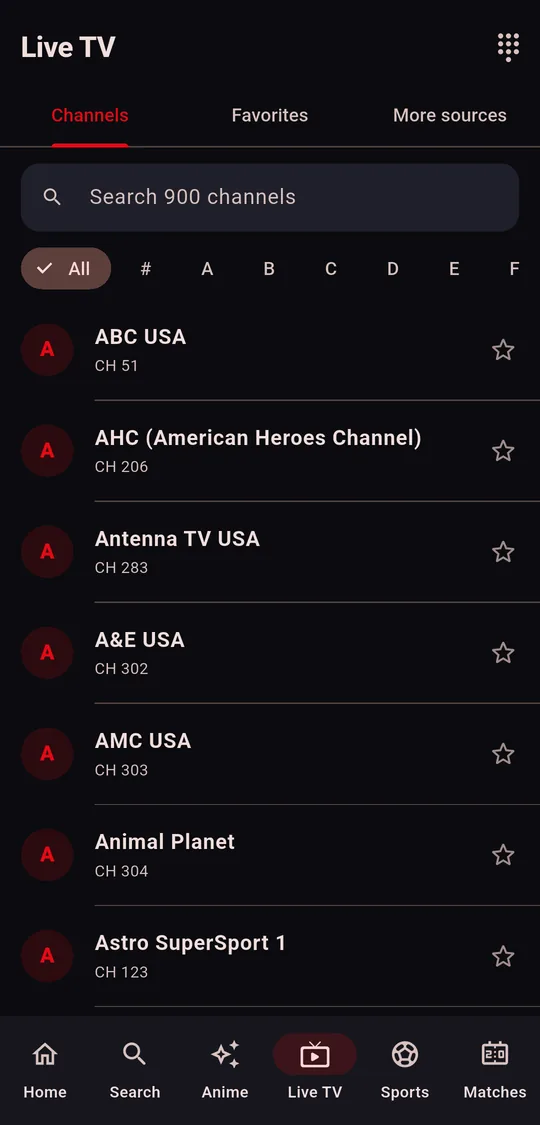
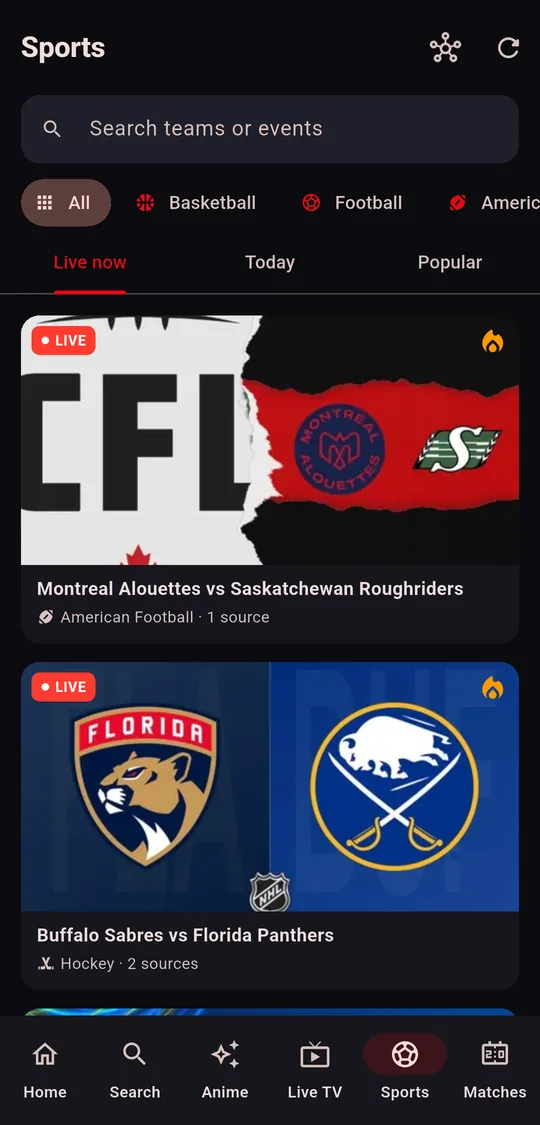
Everything to watch, in one app
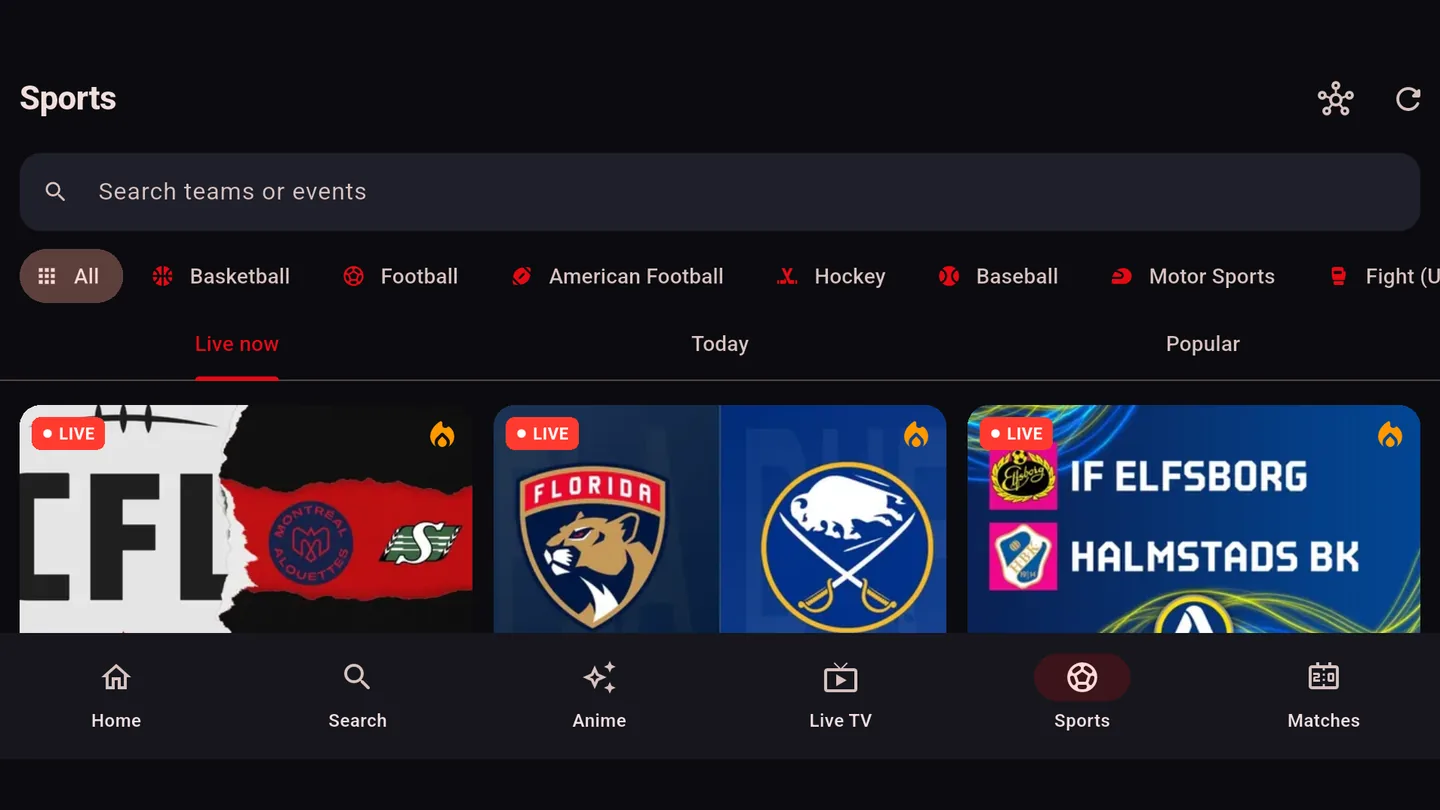
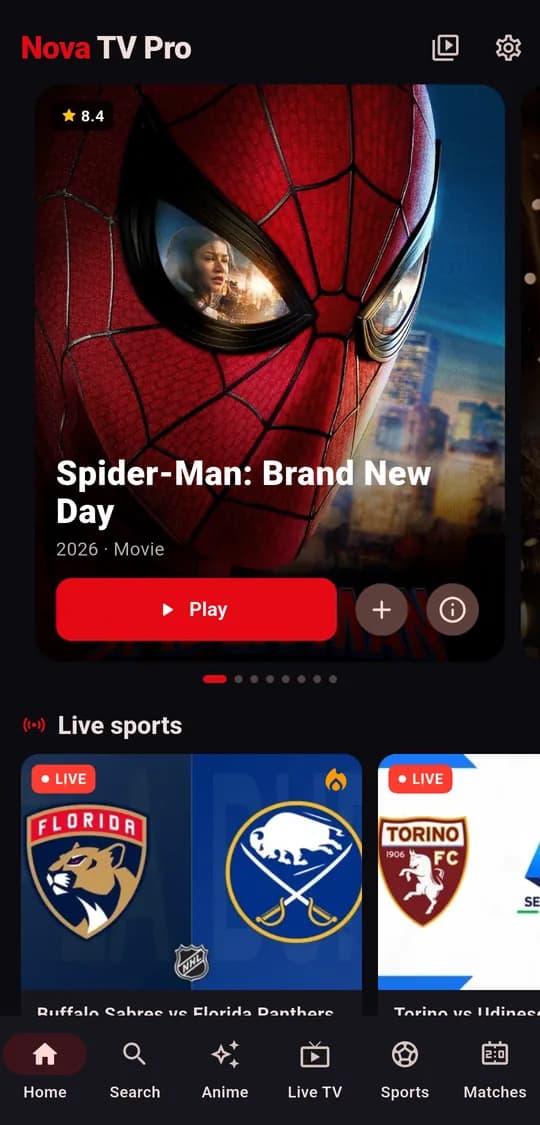
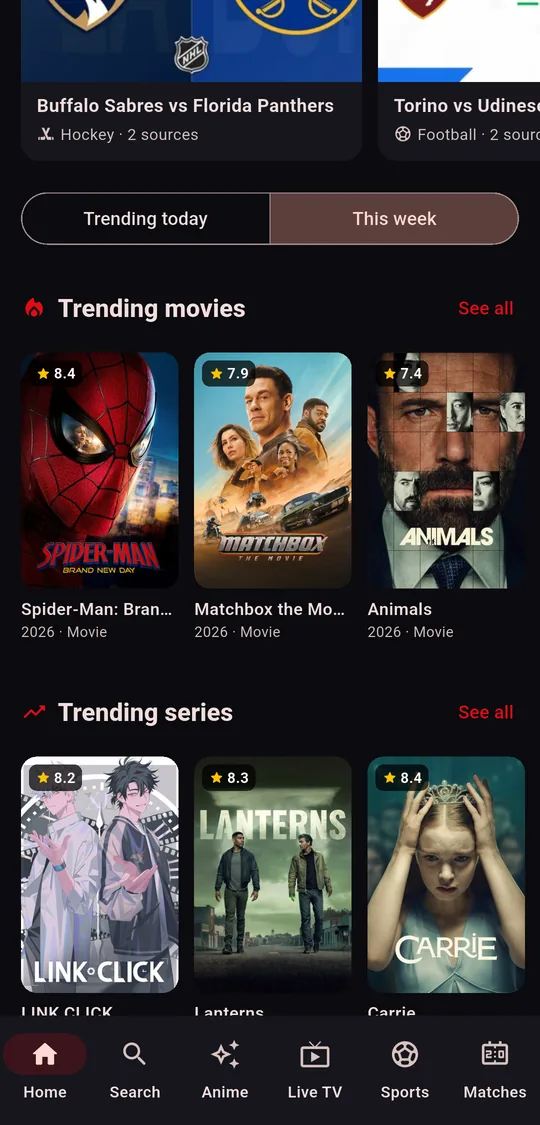
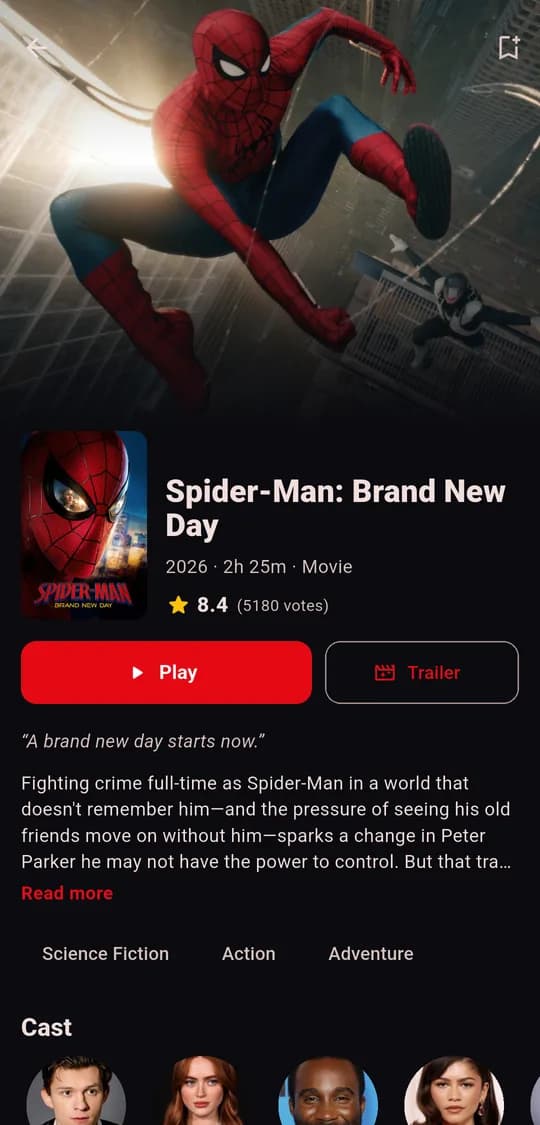
Trending films and series, a full anime section, live TV channels and today's matches. These are real screens from the app.
On an Android phone
Install Nova Player from Google Play first, then download the Nova TV Pro APK and open it to install.
The Nova TV Pro file is about 100 MB. If Android warns about installing from your browser, allow it once in Settings and go back.
New · Football
Nova Score: live football scores on your TV
Today's matches, live scores, stats, lineups and live streams, in Arabic. Made for the remote, works on phones too. Downloader code 3955442.
See Nova Score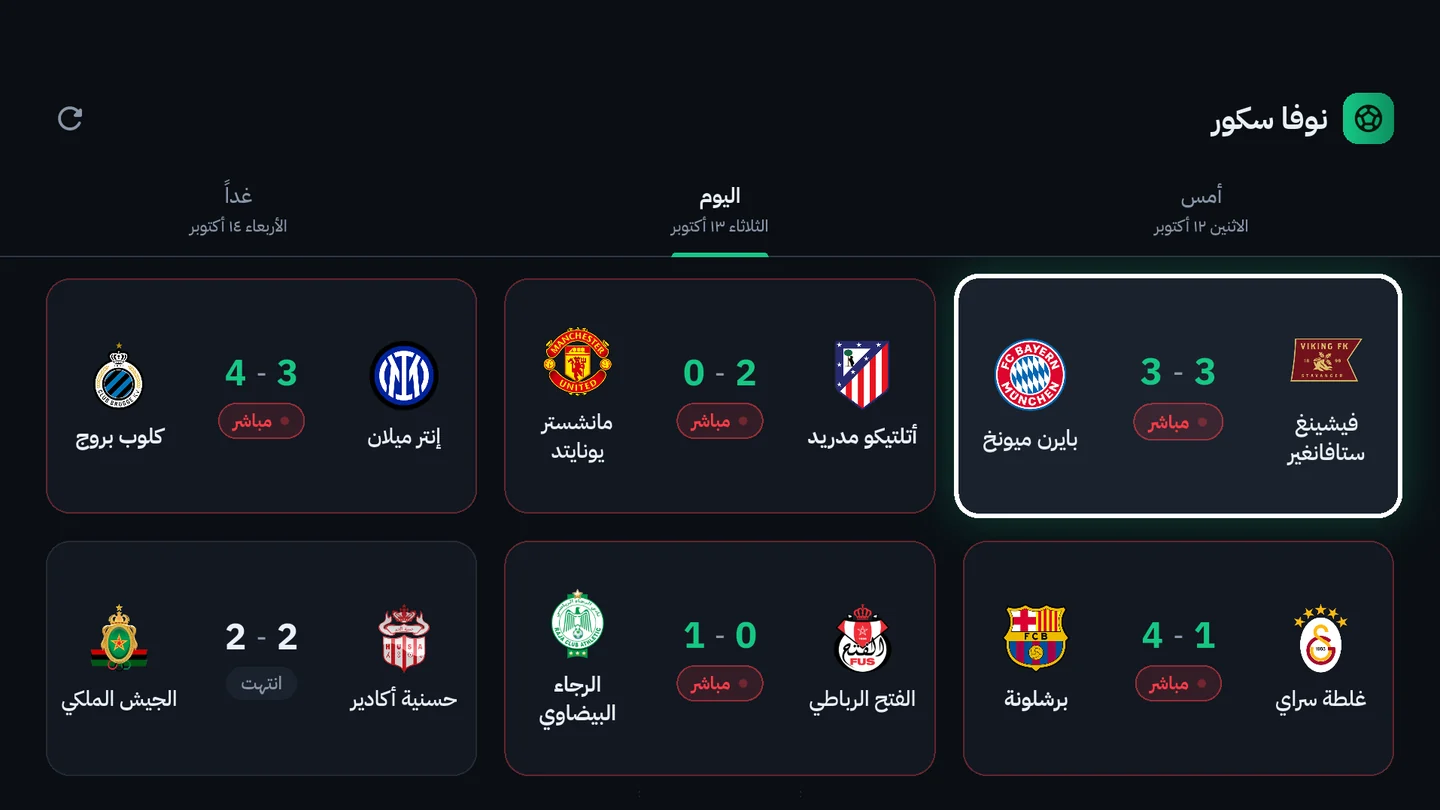
Questions
What is the Downloader code for Nova TV Pro?
Nova TV Pro is 2125312. Type it in the Downloader app by AFTVnews, or open aftv.news/2125312. Nova Player doesn't need a code: install it from the Google Play Store.
Why do I need two apps?
Nova TV Pro is where you browse and pick what to watch. Videos play in Nova Player, so install Nova Player from the Google Play Store first.
Which devices does it work on?
Android TV boxes, Google TV, Android TV sets and Android phones: anything with the Google Play Store, which Nova Player installs from. Fire TV has the Downloader app for Nova TV Pro, but no Play Store for Nova Player.
The TV box blocks the install. What do I do?
Android asks you to allow installs from the app that downloaded the file. When the prompt appears, open Settings, turn on Allow from this source for Downloader, then go back and press Install.
How do I update?
Enter the same code again. It always downloads the newest version of Nova TV Pro, which installs over the old one and keeps your list and settings. Nova Player updates itself through the Play Store.
Is Nova TV Pro free?
Yes. Both apps are free to download and use.